 Gifer
GiferGIFs and stickers on Telegram: what actually differs
Stickers and GIFs share one panel above the message field, and that is where the resemblance ends. Stickers are built around sets, GIFs around single files; each is called up from a different place; and in a conversation they do different jobs — a sticker for a quick reaction, a GIF for a whole scene.
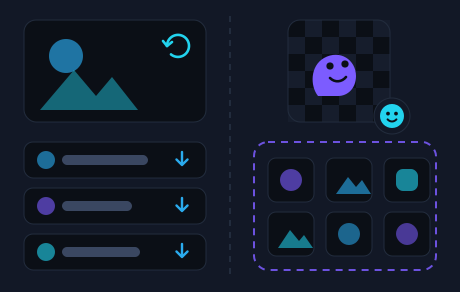
The three differences at a glance
- A set against a single file. Stickers travel in packs: add one of them and you have the whole pack. A GIF is kept one at a time.
- A sticker has an emoji behind it, a GIF has none. Every sticker carries the emoji its author chose, so typing that emoji brings the matching stickers up on the spot. Nothing of the kind stands behind a GIF: what brings one up is a word in the message field.
- Fixed frames against loose ones. Stickers come as still pictures and as moving ones, and Telegram accepts both only on its own terms: one side of the frame is set, and a moving sticker keeps to a short loop with no sound. A GIF is rebuilt as a short video and knows none of those limits.
The rest of this guide is the same three points at length, with a practical conclusion at the end.
Stickers come in packs, GIFs come one at a time
A sticker rarely exists by itself — it belongs to a pack. Add the one you liked and the rest of its pack arrives with it, as a tab of its own in the panel above the message field. The panel remembers what you have been using and moves those packs to the front.
A GIF works the other way round. One you like in a conversation can be kept: tap it and choose to save it — on iPhone that is a long tap. After that it sits in the GIF tab of the same panel, on its own, with no pack attached.
How each one comes up: the panel or the message field
Every sticker carries an emoji its author picked for it. Type that emoji and Telegram puts the matching stickers in front of you straight away — nothing to search for, the suggestion simply appears. The panel has a search of its own as well, so a word finds stickers there too.
Nothing of the kind stands behind a GIF: no emoji will suggest one. What brings it up is a word typed in the message field — “hug”, “thanks”, “tired” — and the search runs through a bot, in the chat you are already in, with no panel to open. What that looks like from start to finish is in how to find and send GIFs on Telegram.
Which is why the two feel different in a conversation: a sticker is picked from the packs you already keep, while a GIF is found afresh each time, for the line you are answering.
A sticker has size rules, a GIF has none
Stickers come in two kinds: still ones, which are a picture that stays put, and moving ones. Telegram accepts both only on its own terms — one side of the frame is fixed while the other may be smaller, and a moving sticker fits into a short loop and does without a soundtrack. That is why stickers behave so alike in a conversation, whichever pack they came from.
The closest relative of a GIF is the moving sticker: it, too, is in motion. But it lives by sticker rules — a pack, an emoji, a short loop — and a GIF knows none of them: any proportions, and a length that can run well past a sticker's. Telegram rebuilds it as a short video, and that is where the autoplay comes from: a GIF starts moving by itself, with nothing to open.
One more difference shows up for anyone who wants to make their own: a sticker is put together inside Telegram, in an editor that lives in the same panel above the message field and turns a photo into a sticker.
When to send which
There is no rule here, but a habit forms on its own — and it follows from the way the two are built.
- A sticker is a short reaction: agreement, laughter, “got it”. Out of a pack you use every day it takes a second to pick.
- A GIF is a scene: a quote, a meme, a piece of a situation — the part that does not fit into a single drawing.
- A GIF is looked up on the spot, for the line in front of you: you type the word that fits — “tired”, “at last” — and send what comes up, without opening a panel at all.
Hence the division of labour: stickers carry the quick and frequent replies, and a GIF is chosen when you want to put it more precisely.
Where each one is kept
Both formats live in one panel above the message field: sticker packs as their own tabs, saved GIFs as the GIF tab.
The GIFs you sent through the bot sit apart from that tab and open with the username and no word after it. How those stores differ, and where to look for one particular GIF, is in saved GIFs on Telegram.
And when nothing plays or nothing leaves the field at all, the checks are collected in what to do when GIFs won't play.
Frequently asked questions
How does an animated sticker differ from a GIF?
Both are in motion, but they are built differently. An animated sticker is part of a pack and lives by sticker rules: one side of the frame is set, the loop is short, there is no sound. A GIF is a short video of any proportions, and it is kept one at a time.
Does the bot search for stickers?
No, @gifer searches for GIFs. Stickers come from Telegram itself: type a fitting emoji and the panel suggests matching ones, and the panel has a search of its own as well.
How does a GIF get into my panel?
One at a time, with no pack behind it: a GIF you liked in a conversation can be kept, and it settles in the GIF tab. Sticker packs are added whole — one you like brings the rest of the pack with it.
Sticker or GIF — which should I send?
A sticker suits a short reaction from a pack that is already at hand. A GIF suits a scene or a quote: you type the word for the line you are answering, without opening a panel.
Find a GIF by typing a word
The username in the message field, a word, a pick from the strip. Your stickers stay where they are, in the same panel.
Open the bot in Telegram