 Gifer
GiferTelegram GIFs not working: what to check, in order
The symptoms look alike; the causes don't. A GIF can sit in the conversation without moving, it can refuse to leave your message field, or the strip above the field can stay empty. Work out which of the three you have and there is not much left to check.
Which of the three symptoms is yours
“Something is wrong with GIFs” is really three separate situations, and each has a different cause. A GIF that is visible but motionless is a matter of app settings. A GIF you picked that never appeared in the conversation is usually a matter of the chat. An empty space above the message field is about what you typed and about the connection.
- It doesn't play. The GIF is there in the conversation, but it stands still: one frame, a grey rectangle, or a loading circle that never ends.
- It doesn't reach the chat. You picked a GIF and no message appeared.
- The strip doesn't open. You type a username in the message field and nothing shows up above it.
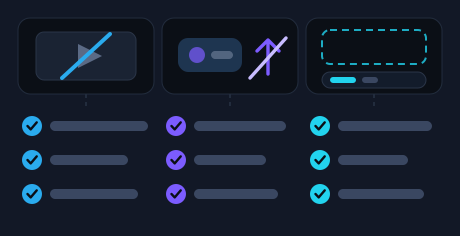
Take the branch that matches yours. None of them ends with reinstalling the app or signing out of the account.
A GIF on Telegram is really a short video
Worth knowing before any of the checks: Telegram does not keep a GIF as a picture. On its way into the chat it is rebuilt as a short video with no sound — which is exactly why it starts moving by itself, with nothing to tap.
Hence the practical consequence: a GIF obeys the settings that govern animation and autoplay, not the ones that govern images. That is where the first branch leads.
Nothing moves: check Power Saving first
Telegram has a settings section that switches animation off to spare the battery: Settings → Power Saving. The switches inside it are separate — autoplay, animations, interface effects — so a single one of them can be off while the rest of the mode is on.
The part that catches people out: this mode can turn itself on when the battery drops to the level you set. “They moved yesterday and they don't move today” is more often about the battery than about GIFs.
If the animation went away in one app only — on the phone, say, while the computer carries on as usual — that is one more reason to look at the settings in the app where it stopped.
The device is out of space: clear the cache
Another common reason media stops opening is that the device has run out of room. Telegram keeps conversations and media in the cloud, and what sits on the device is a cache you can clear: Settings → Data and Storage → Storage Usage → Clear Cache.
Nothing you sent is lost that way: clearing the cache does not sign you out and does not touch what lives in the cloud. Telegram offers this route itself as the way to free up space.
The menu items are worded a little differently on the phone and on the computer, but the section is the same one — data and storage.
It won't send: check the chat's permissions
When the GIF was picked and the conversation stayed empty, the app is rarely the culprit. In a group the admin sets what members are allowed to send, and separate kinds of content can be switched off on their own — so text goes through while media does not.
A quick test: send the same GIF to a different conversation. If it goes, the restriction belongs to the first chat and only its admin can lift it. If it goes nowhere at all, read the last paragraph of this section.
In a channel the same thing comes down to the right to publish. What else changes in a shared chat is laid out in GIFs in groups and channels.
One case stands apart: nothing leaves at all — no text, no media, no conversation. Telegram can freeze an account after reports from other people: reading chats still works, sending does not. It says so itself, and the restriction can be appealed from inside the app.
Nothing appears above the message field
The third case: you type the username and nothing appears above the field. There is little to check here.
- The username stands at the start of the line: in the middle of a message you have already typed it stays plain text.
- Something with a message field is open on the screen — that is the only place the strip appears.
- The connection is alive: the strip is fetched over the network, exactly like the pictures in the conversation.
If the strip opens but what is in it is not what you had in mind, that is a question of wording rather than a fault: which words to type is laid out in how to find and send GIFs on Telegram.
And if you were after a GIF you had already sent rather than a new one, it comes back with the username and no word after it — that has a guide of its own.
Frequently asked questions
The GIF is visible but it doesn't move — why?
Most often autoplay for animation is off. Those switches live in Settings → Power Saving, and the mode can turn itself on when the battery gets low — so the animation may have gone away with nothing done on your side.
Will clearing the cache delete my GIFs?
No. Conversations and media live in Telegram's cloud; what stays on the device is a cache. Telegram suggests clearing it to free up room, and it does not sign you out of the account.
Text goes into the group but a GIF doesn't — why?
That looks like a restriction in the chat: an admin can stop members from sending particular kinds of content, and media is set separately from messages. Only the admin can lift it.
How do I tell whether it is the app or the chat?
Send the same GIF to another conversation. If it goes, the cause sits in the first chat. If it goes nowhere and ordinary messages don't either, look at the state of the account — Telegram reports a restriction on sending itself.
GIFs live in the message field
Once you know which symptom is yours, the search is in the same place you type: a username, a word, a pick from the strip.
Open the bot in Telegram